Visual layer
Proof card, thumbnail, relative time, exact time, and a QR to Verify / Review.
Keep the first decision simple: use one case for one live situation, monthly access when the same proof job repeats, annual access for the strongest yearly value, and higher volume when the workload is clearly heavier. Trust is shown in a graded way: Time, Record, and optional Attestation.
Start here if you want Vraimony explained in plain language. This page keeps the product-help paths together without turning the site into a technical portal.
Beginner-first · Product-facing help · Q&A, Weekly Report, Downloads, Disclaimer, and Contact stay easy to reach
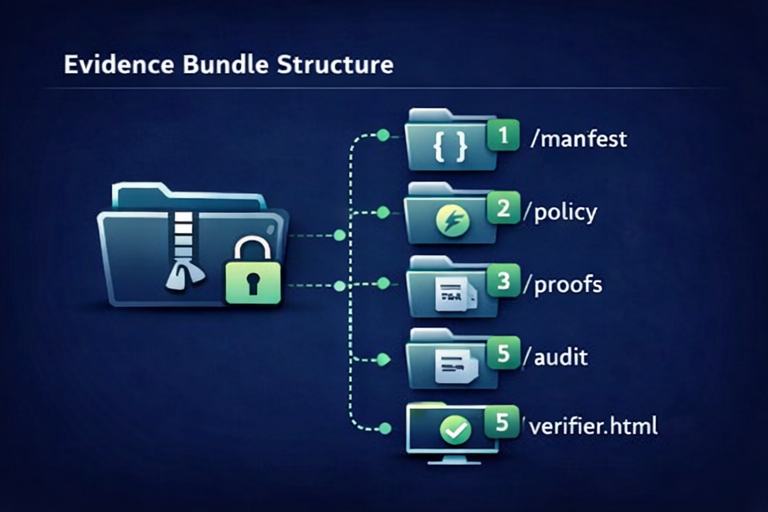
Start from the situation, choose the right flow, then use verify.vraimony.com/review as the default page for the other side, with technical checks one step deeper. Weekly Report stays available for short public updates, not as a replacement for the product pages.
Proof card, thumbnail, relative time, exact time, and a QR to Verify / Review.
Timeline, parties, files, notes, and human action language for managers, reviewers, and lawyers.
SHA-256, TSA, Ed25519, signatures, manifests, and offline verification material for technical validators.
Use one-case mode when you want one simple paid path for one real situation. Six guided starters help you choose the right fields, but the paid one-case product stays one checkout at $4.99.
Use monthly access when the same proof job repeats. Use annual access when the work will clearly return across the year. Use higher volume when the workload is heavier but still self-serve.
Verify stays simple on Vraimony: open a read-only view, understand what can be checked, and use the verify.vraimony.com review layer when you need the neutral verification side.
Open the Trust Center first for boundaries, then use Q&A, Weekly Report, Downloads, Contact, or Disclaimer pages without hunting for them.
The free template trial shows the server-backed flow before monthly or annual access. The free local builder creates a branded `.vrm` fully in the browser for a no-server start.
Open Review first to see the summary, trust states, and any required action. Use technical checks only when deeper validation is needed.