Best for
Sites, portals, and teams that want an iframe-first verification surface with bounded read-only inspection.
Site / portal toolRead-only inspection
Use the widget when a site, portal, or handoff page needs a clean read-only verification surface without becoming a heavier custom interface.
Official domain: www.vraimony.com. These helpers support the Vraimony core; they do not replace proof packs or the controlled trust model.
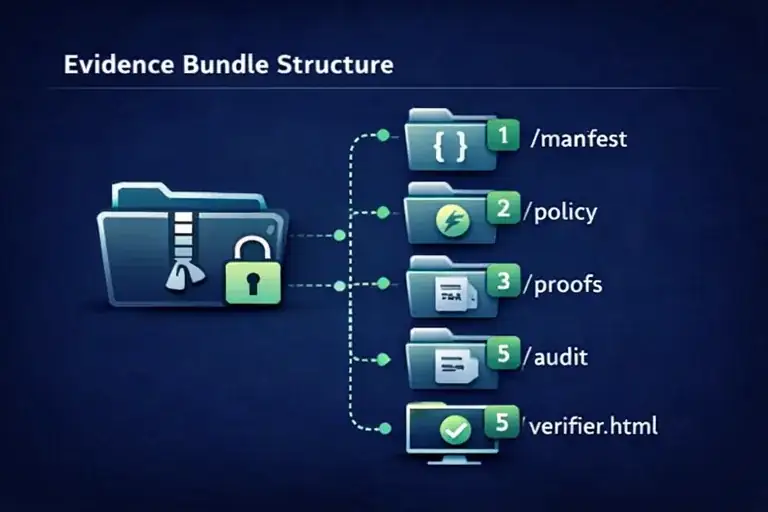
Sites, portals, and teams that want an iframe-first verification surface with bounded read-only inspection.
You want a full customer portal, a case management interface, or a heavily customized app built into the widget itself.
A partner page needs a simple place where recipients can inspect proof context without being pushed into a larger account workflow.
Place the widget where visitors need a verification step, then keep heavier operations, approvals, or account-specific actions outside the widget.
It removes messy verification handoffs and reduces the need to explain verification logic through screenshots, PDFs, or email text alone.
Best paired with proof-oriented packs when the widget becomes the presentation layer for a larger handoff, review, or dispute workflow.
Download only from www.vraimony.com. Check the matching guide, package name, and release wording. SHA256 helps detect corruption; it does not prove official origin by itself.
A bounded, read-only verification surface for sites and portals.
It is not a full workflow application or a replacement for your business system.
Use the widget for presentation and inspection. Use packs for the actual proof-readiness outcome.
Embed a clean read-only verification block inside a site, portal, or handoff page.
Third-Party Review Evidence · Acceptance, Change & Dispute Pack · selected public verification blocks
Open the widget guide or download the bundle, then add the widget to the target page or portal.
Check the official checksum list and the public changelog before rollout. Use SHA256 to detect corruption, not as a standalone origin claim.
These tools are intentionally narrow. Multi-client rights, co-branded outputs, or embedded deployments belong to partner and enterprise licensing.